A detailed guide to creating and downloading PDF files using PHP via an HTML contact form.
Installing Composer
Since this guide is part of a “for my own use” series, I’ll describe the project implementation steps in greater detail so I can come back here to remind myself of certain points—just in case my memory fails me.
We’ll try to make the project more professional, so we’ll work with Composer, which we’ll install right from the start. Composer is a dependency manager for PHP.
First, we’ll connect to our hosting account or server via SSH, using PuTTy.
After logging in, we’ll be taken to the terminal:
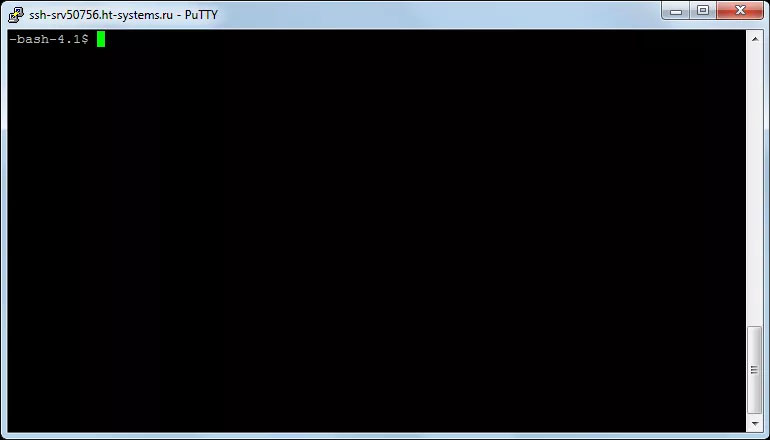
Looking ahead a bit, I wanted to mention that the standard Ctrl+V and Ctrl+C shortcuts don’t work for copying and pasting in the terminal.
Historically, Ctrl+C is the key combination used to interrupt the current process. Therefore, when working in the terminal, use Ctrl+Insert and Shift+Insert for copying and pasting, respectively.
Now let’s navigate to our website’s folder, where we want to be able to work with dependencies.
To verify that the terminal is working and that everything is in order, we can check the PHP version by entering:
$ php -vWe get:
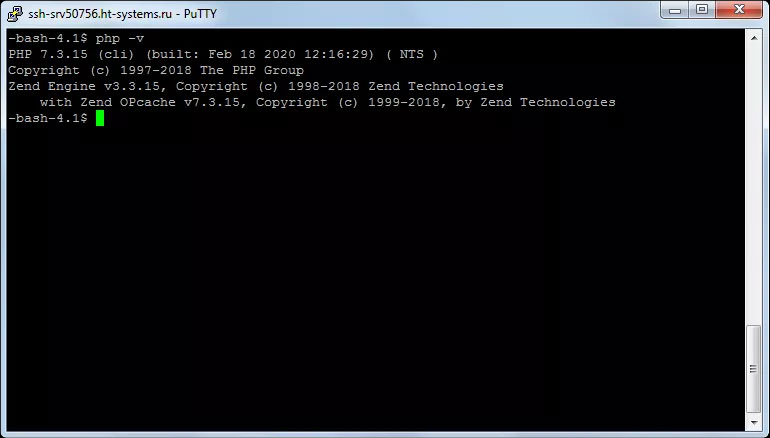
Now let’s move on to the installation. Enter:
$ php -r "copy('https://getcomposer.org/installer', 'composer-setup.php');"Then enter:
$ php -r "if (hash_file('sha384', 'composer-setup.php') === 'e5325b19b381bfd88ce90a5ddb7823406b2a38cff6bb704b0acc289a09c8128d4a8ce2bbafcd1fcbdc38666422fe2806') { echo 'Installer verified'; } else { echo 'Installer corrupt'; unlink('composer-setup.php'); } echo PHP_EOL;"With these two commands, we download the installer to the current directory and verify the SHA-384 hash of the installer.
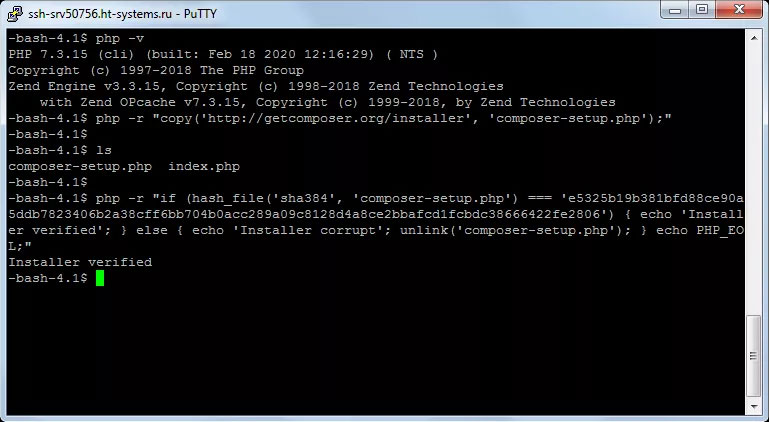
We see a message confirming that the installer has been verified.
Next, enter the following to run the installer:
$ php composer-setup.php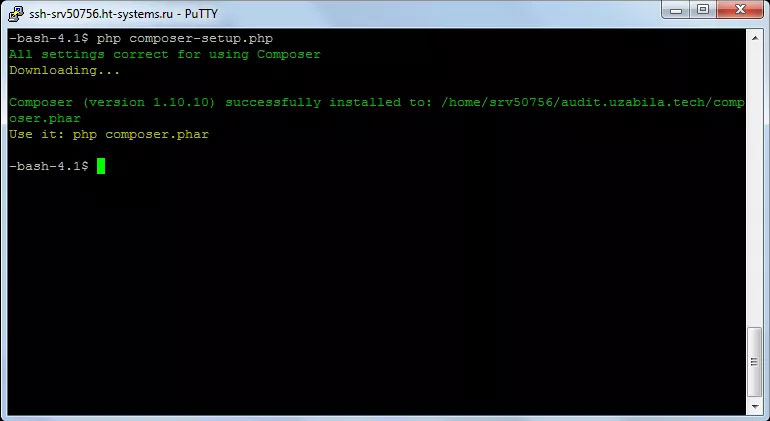
And finally, remove the installer:
$ php -r "unlink('composer-setup.php');"Using the `ls -1a` command, we verify that the installer has been removed:
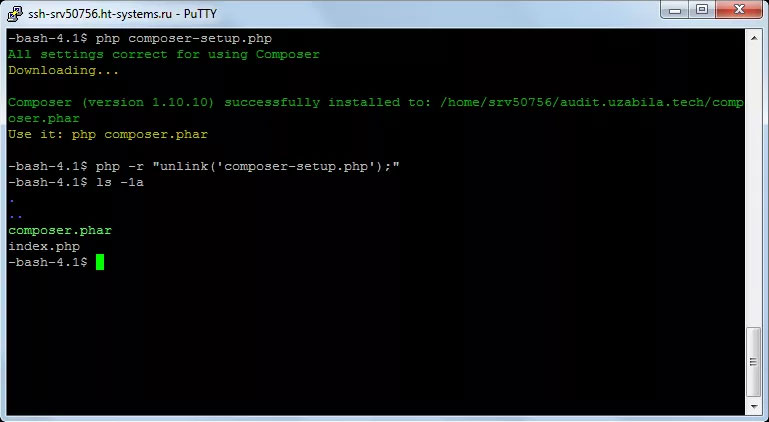
At this stage, you may encounter a confusing situation: we need to create a project, but we’ll receive a warning that the `composer.json` file cannot be found.
We’ll create it manually in the root directory using `nano`:
$ nano composer.json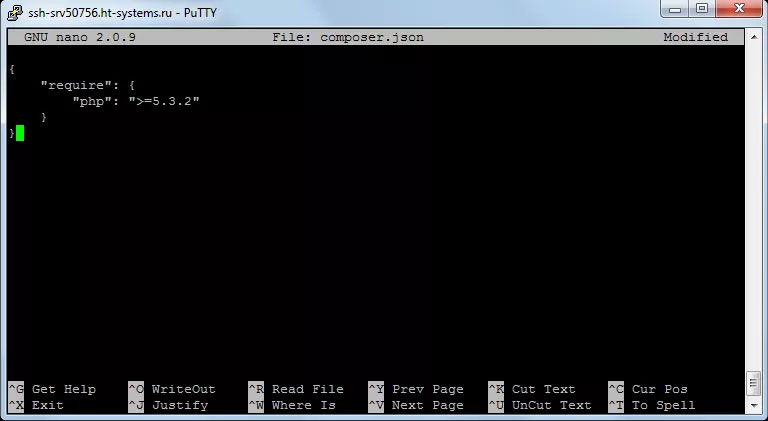
We’ll insert the following into the file:
{
    "require": {
        "php": ">=5.3.2"
    }
}
Next, exit by pressing CTRL+X and press Y to save the file.
Now, install the dependencies using the command:
$ php composer.phar installThe mPDF library
At this stage, we’ve installed a dependency manager in a local folder on the server, and now we need to install the library required for working with PDFs—mPDF.
To do this, enter the following command:
$ php composer.phar require mpdf/mpdfThe installation process will then begin:
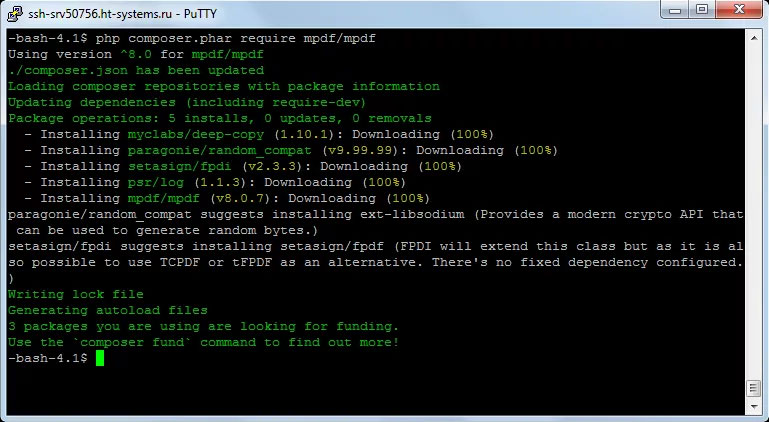
Let’s check the package installation in the composer.json file:
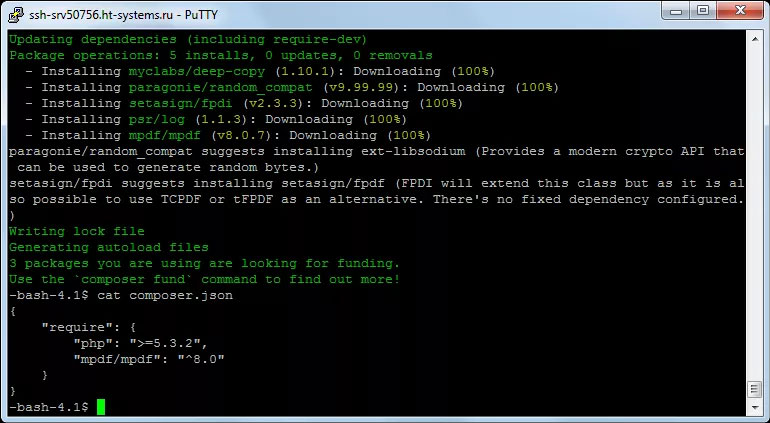
Everything is OK; the library has been added.
Creating the Form
The form will consist of two main parts: form processing and PDF generation, and the form itself.
We’ll create an index.php file in the root of the website folder and add the following code to it:
<?php
require_once __DIR__ . '/vendor/autoload.php';

// получаем переменные
if(isset($_POST['fname']) && isset($_POST['lname']) && isset($_POST['email']) && isset($_POST['message']))
{
$fname = $_POST['fname'];
$lname = $_POST['lname'];
$email = $_POST['email'];
$message = $_POST['message'];

$mpdf = new \Mpdf\Mpdf();

$data = "";
$data .= "<h1>Your Details</h1>";
$data .='<strong>First Name</strong> '. $fname.'<br>';
$data .='<strong>Last Name</strong> '. $lname.'<br>';
$data .='<strong>Email</strong> '. $email .'<br>';
$data .='<strong>Message</strong> '. $message.'<br>';

$mpdf->WriteHtml($data);
$mpdf->output("myfile.pdf",'D');
}
?>
<!DOCTYPE html>
<html>
<head>

	<meta charset="utf-8">
    <meta http-equiv="X-UA-Compatible" content="IE=edge">
    <meta name="viewport" content="width=device-width, initial-scale=1">
    <title>Создание PDF из HTML формы с помощью mPDF</title>

	<!-- Latest compiled and minified CSS -->
	<link rel="stylesheet" href="https://maxcdn.bootstrapcdn.com/bootstrap/3.4.0/css/bootstrap.min.css"/>
	<link rel="stylesheet" href="/assets/css/styles.css" />

</head>
<body>
	<div class="container-fluid">
    <div class="container">
    	<div class="col-md-6 col-md-offset-3">
        	<h1>Создание PDF из HTML формы</h1>
        	<p>Заполните поля ниже для создания формы</p>

	        <form action="index.php" method="post">

	        <input type="text" name="fname" class="form-control" placeholder="Имя*" required>
	        <div class="clearfix pb-10"></div>
	        <input type="text" name="lname" class="form-control" placeholder="Фамилия*" required>
	        <div class="clearfix pb-10"></div>
	        <input type="email" name="email" class="form-control" placeholder="Email*" required>
	        <div class="clearfix pb-10"></div>
	        <textarea class="form-control" name="message" placeholder="Сообщение"></textarea>
	        <div class="clearfix pb-10"></div>
	        <p>* - обязательное поле</p>
	        <button class="btn btn-primary btn-lg" type="submit">Создать PDF</button>
	        </form>
        </div>
    </div>
    </div>
    <footer>
    <div class="container-fluid">
    	<div class="container">
    		<div class="col-sm-12 tc">
    			Демо создано <a href="/">Uzabila.com</a> для статьи <a href="/html-to-php/">Создание PDF через HTML форму с помощью PHP"></a>
    		</div>
    	</div>
    </div>
    </footer>
</body>
</html>
Let’s take a closer look at the code itself. First, we’ll create a simple form with several fields.
<input type="text" name="fname" class="form-control" placeholder="Имя*" required>
<input type="text" name="lname" class="form-control" placeholder="Фамилия*" required>
<input type="email" name="email" class="form-control" placeholder="Email*" required>
<textarea class="form-control" name="message" placeholder="Сообщение"></textarea>
<p>* - обязательное поле</p>
<button class="btn btn-primary btn-lg" type="submit">Создать PDF</button>
I often use the Bootstrap framework, so you’ll see Bootstrap styles in the code. The code below checks to make sure all fields are filled in:
if($_POST['fname']) && isset($_POST['lname']) && isset($_POST['email']) && isset($_POST['message'])){}And this part of the code handles the mPDF library:
$mpdf = new \Mpdf\Mpdf();

$data = "";
$data .= "<h1>Your Details</h1>";
$data .='<strong>First Name</strong> '. $fname.'<br>';
$data .='<strong>Last Name</strong> '. $lname.'<br>';
$data .='<strong>Email</strong> '. $email .'<br>';
$data .='<strong>Message</strong> '. $message.'<br>';

$mpdf->WriteHtml($data);
$mpdf->output("demo.pdf",'D');
That’s it.
